Acquisition Profile
The Acquisition Profile is used by the Image Service when acquiring image using the ensureImageExists command (see Acquisition via Messaging).
The image service supports multiple storage providers, such as Mosaic Hosting Service, Azure Storage, and AWS S3. Independet of the storage provider, the profile consist of the following common properties:
| Property | Description |
|---|---|
| Title | A human-readable profile identifier |
| Storage Provider | The storage provider type (see below) |
| Root Path | An optional value that is used to define a sub-folder from which the images should be downloaded. If no value is specified, the images are acquired from the root storage location. If a value is specified, it must be a single folder name or a path, e.g. folderName/anotherFolder. The image_location on the ensureImageExists command will be interpret as a relative location based on this path. |
The Image Service supports multiple storage providers (depending on the selected storage provider there are additional configuration options):
- Mosaic Hosting Service - Azure
- Azure Storage
- AWS S3
We recommend to create your storage using the built-in Mosaic Hosting Service.
Mosaic Hosting Service
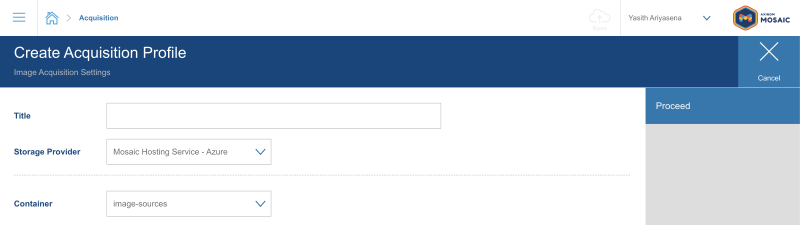
The easiest way to set up an image acquisition profile is to use Mosaic Hosting Service Storage as the storage provider.
In this case, all you need to specifiy is the container and optionally the root path.
Mosaic Storage comes with a default container names image-sources specifically for this purpose.
Example
Azure Storage
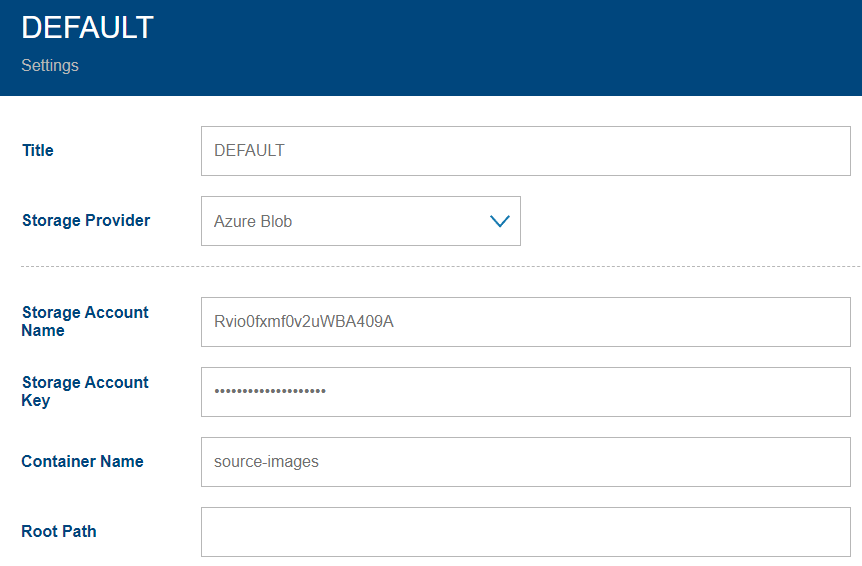
You can use any Azure Storage Account by specifying its account name and key.
See also: Storage with Microsoft Azure.
In addition to the common properties, the Azure Storage specific properties are:
| Property | Description |
|---|---|
| Storage Account Name | The username/account name |
| Storage Account Key | The corresponding password/access key for the storage account above. |
| Container Name | Which storage container to use. A Storage Account can have multiple Containers used for different purpose, e.g. source-images |
Example
AWS S3
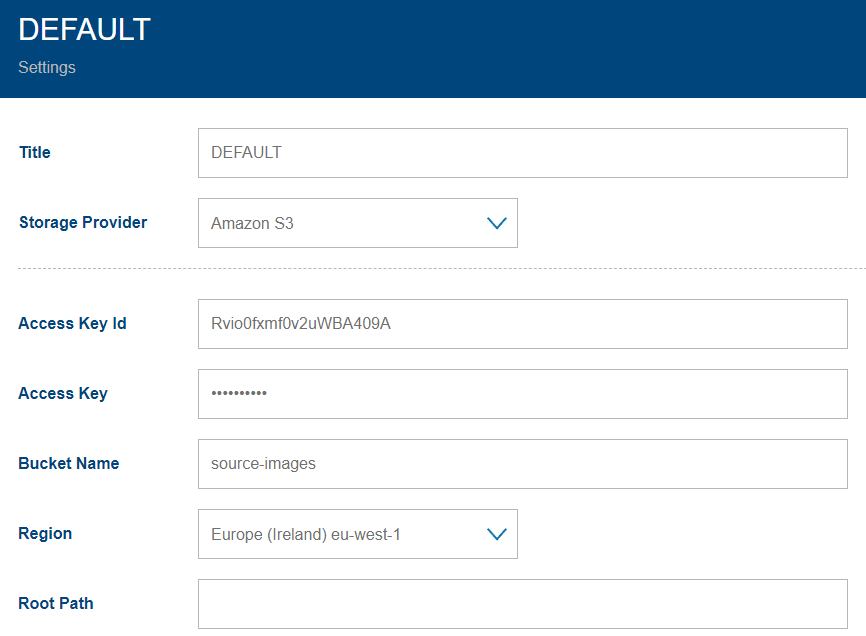
You can use any AWS S3 bucket by specifying the access key.
See also: Storage with AWS.
In addition to the common properties, the AWS S3 specific properties are:
| Property | Description |
|---|---|
| Access Key Id | The AWS S3 Access Key Id. |
| Access Key | The corresponding password/access key. |
| Bucket name | Which name of the bucket to use. Multiple buckets can be accessible with the same access key for different purpose. Similar to Azure Containers. |
| Region | The AWS Region of the data storage. |
Example